Fastbill
9 min
INTRODUCTION:
This document describes how User can create an Account in FastBill software and get Keys and credentials to connect to MYFUNDBOX product.
STEPS:
Step 1: Create an FastBill Account
• Visit FastBill
• Click Sign Up or Create an account
Step 2: If already having an account Sign In
Step 3: Get Credentials
- Go to yourprofile setting and get your login email Id and the FastBill API Key (as shown in Figure 1.1 & Figure 1.2).
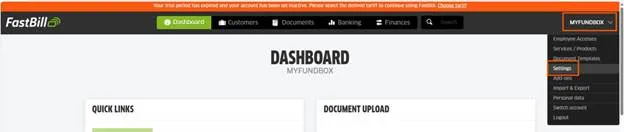
Figure 1.0
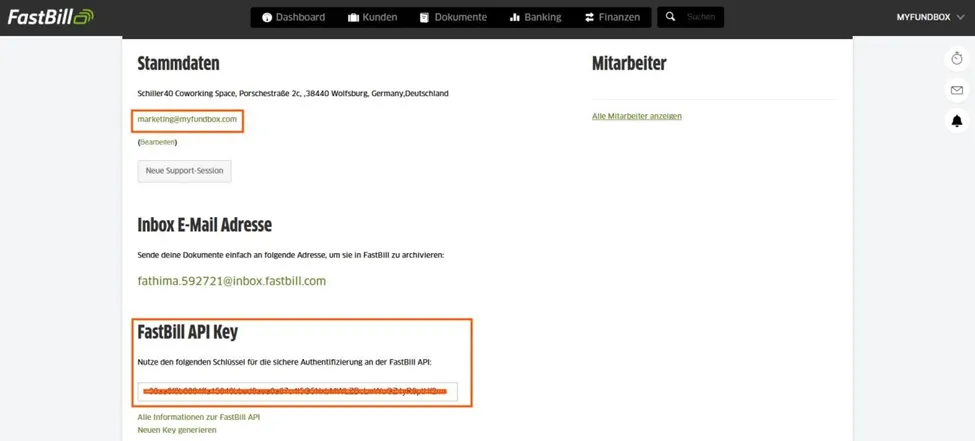
Figure 1.1
Step 4: Connect FastBill in MYFUNDBOX
- Sign in to MYFUNDBOX.
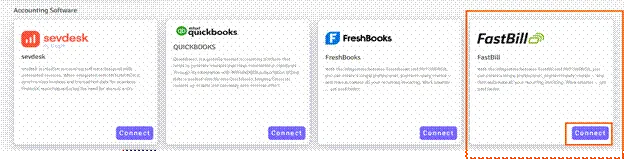
- Navigate to Configuration → Integrations → FastBill → click the Connect button (as shown in Figure 1.2).
- A pop-up will open. Enter the FastBill Email ,FastBill API Key and mandate to choose Currency supported by your FastBill Account then click Save (as shown in Figure 1.3).
• Navigate to Configuration → Integrations → FastBill → click the Connect button (as shown in Figure 1.2).
• A pop-up will open. Enter the FastBill Email ,FastBill API Key and mandate to choose Currency supported by your FastBill Account then click Save (as shown in Figure 1.3).
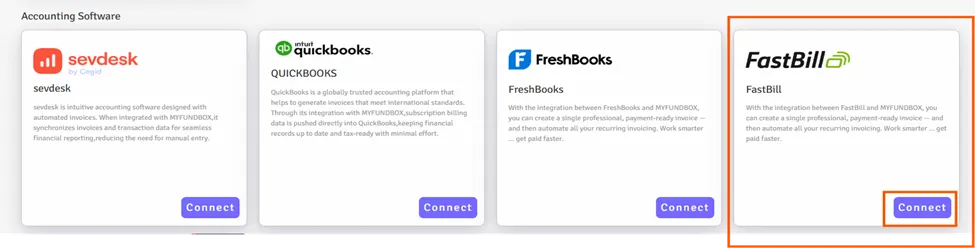
Figure 1.2
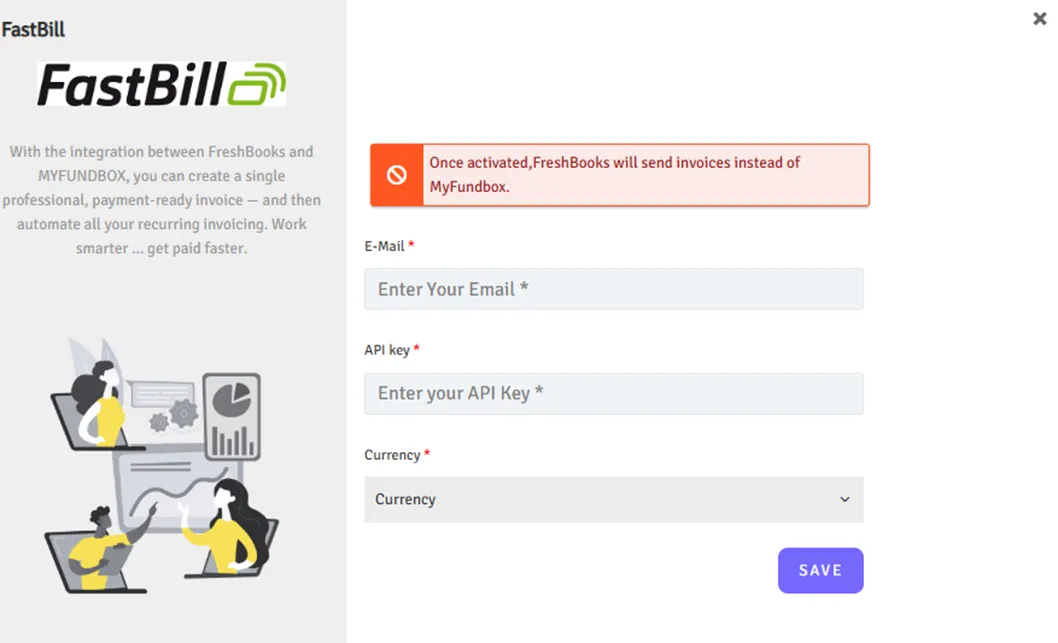
Fig 1.3
- After a successful connection, you will see Connected in the FastBill module of your MYFUNDBOX account (as shown in Figure 1.4).
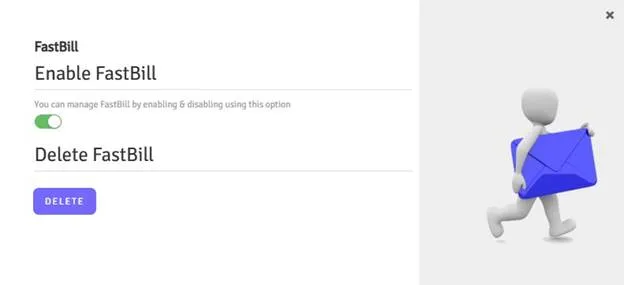
Fig 1.4
Step 6: To Enable / Disable / Delete Connections
6.1 For Enable / Disable Connections
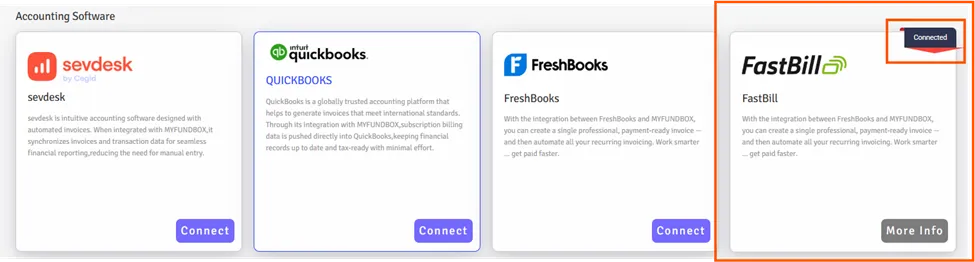
- In Manage FastBill, you can enable or disable the FastBill connection by clicking the toggle button (as shown in Figure 1.5). by clicking more info button (as shown in Figure 1.4).
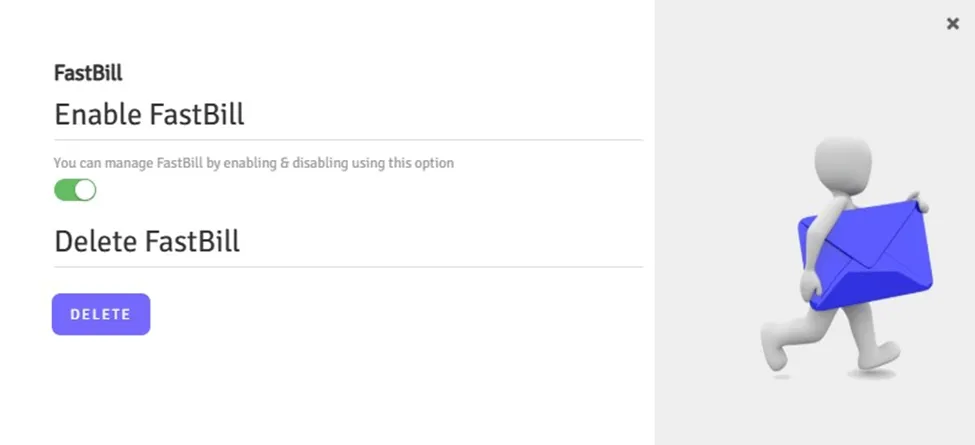
Fig 1.5
- This only enables or disables the connection; it does not fully disconnect it
6.2 For Delete Connections
- If you want to delete or disconnect the FastBill account, click the Delete button and then click Yes, delete it (as shown in Figure 1.5).
- Your connection will be revoked.
- If you disconnect the connection, you will lose all FastBill connection credentials from MYFUNDBOX.
- To reconnect, you will need to follow the process starting from Step 4.
• To reconnect, you will need to follow the process starting from Step 4.
Limitations
- Since FastBill does not support webhooks, it is not possible to sync bank transfer status updates. As a result, even if an invoice is marked as paid in FastBill, it will continue to show a pending status in MYFUNDBOX.
- The invoice will be created only for the plan that matches the currency you selected during the connection. The currency you provide must also match the currency set in your FastBill account profile.
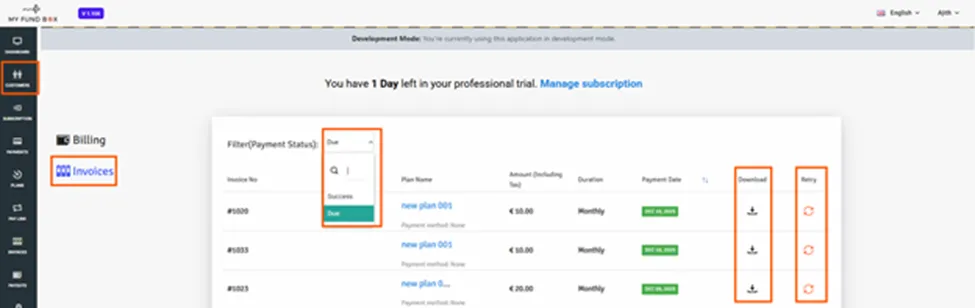
Download Due Invoice
- If you connect to FastBill and create a pay link, the due invoice will be generated automatically. You can then download the due invoice from the Customer/Donor Portal by using the Due filter also you can use the retry option to pay.