ADYEN
9 min
ADYEN PAYMENT GATEWAY
INTRODUCTION:
This document describes how a user can create an Account in Adyen and get Keys and credentials to connect to MYFUNDBOX product
Step 1: Create a Adyen Account
- Visit
- Click Test Account.
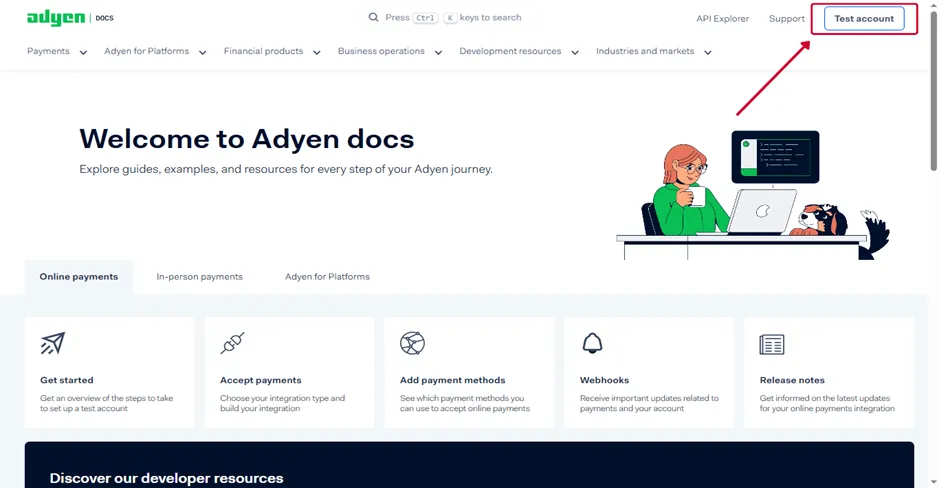
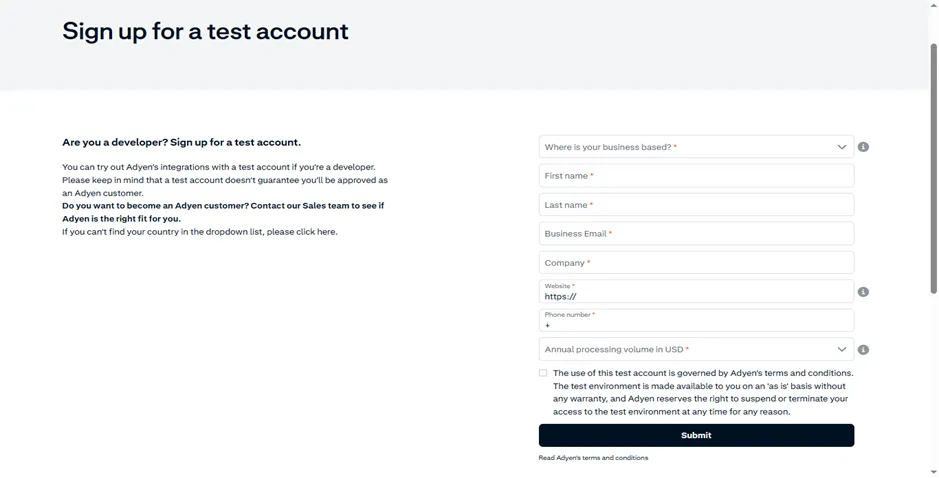
- Complete the "Sign up for a test account" form with your business email, company name, and website.
- Select your Annual processing volume and click Submit.
Step 2: Account Activation via Email
After submitting your registration, Adyen will process your request and respond via email.
- Check your inbox for a confirmation message from Adyen.
- This email contains your unique Username and Password required to access the Customer Area.
- After creating the test account, you must request activation from the Adyen sales team to activate the live account.
- For more information, click the link below.
Step 3: Login to the Customer Area
Use the credentials provided in the email to access your dashboard.
- Go to the Adyen login page and ensure the toggle is set to Live.
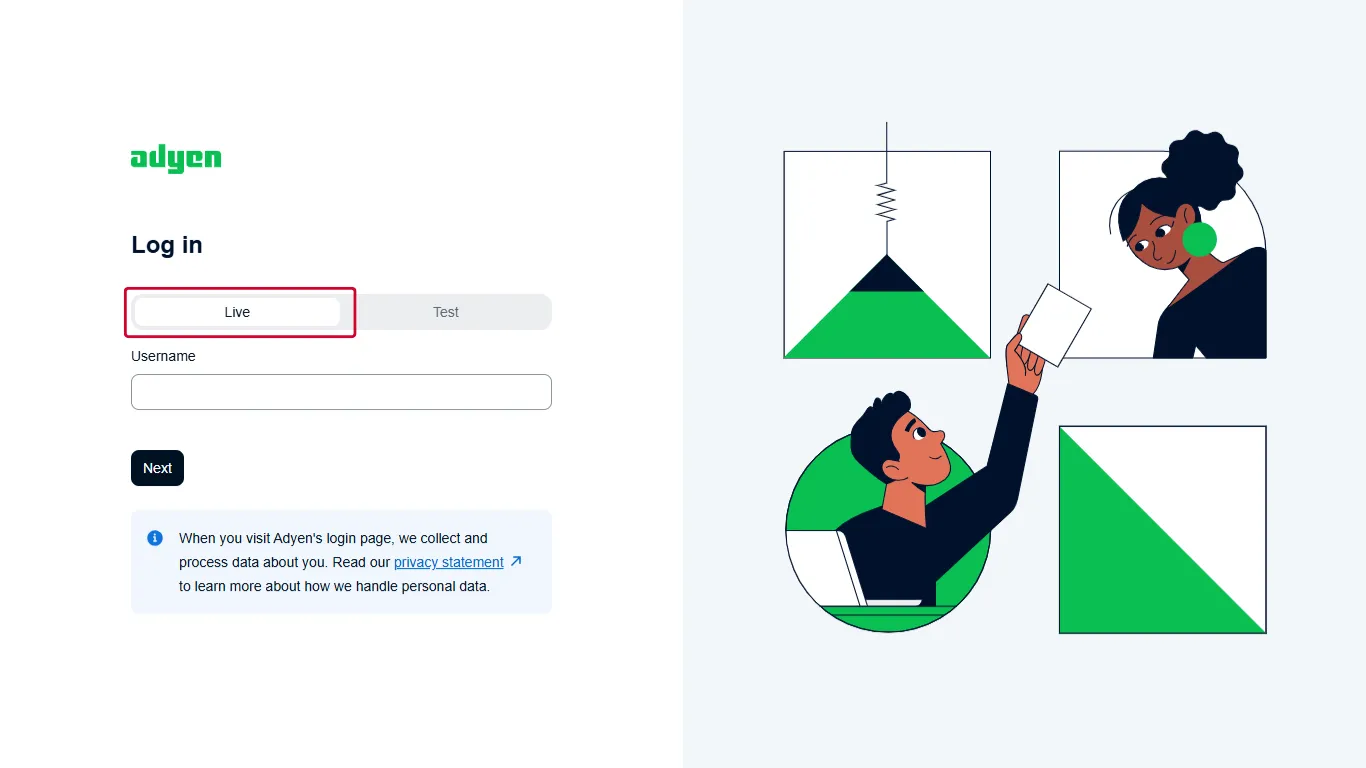
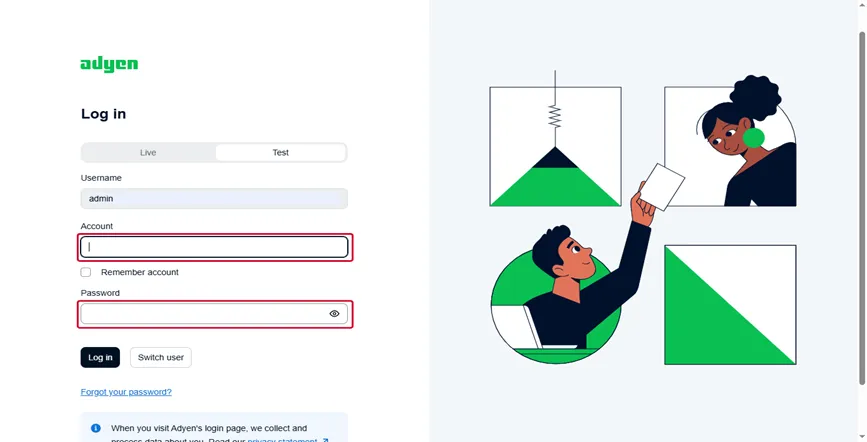
- Enter the Username from your email (e.g., admin) and click Next.
- Enter your Account name and the Password provided in the email.
- Click Log in to enter the dashboard.
Step 4: Generate API Credential
To allow your application to communicate with Adyen, you must generate an API key.
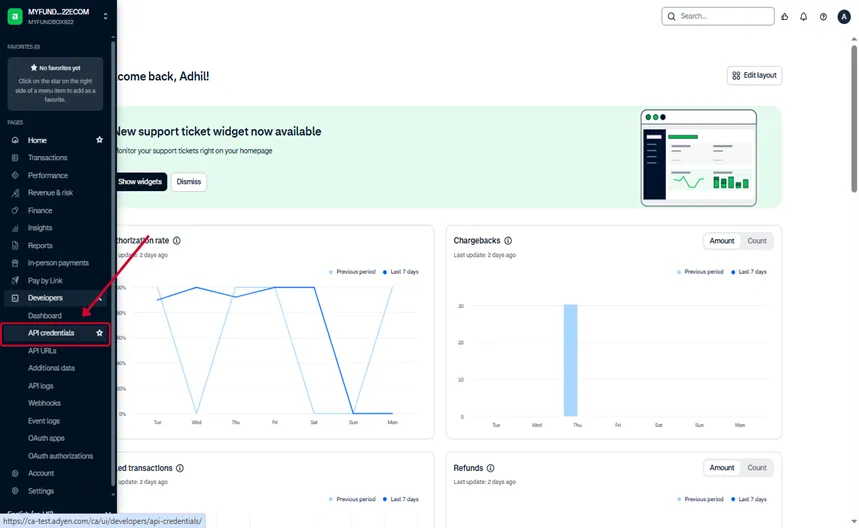
- In the sidebar, navigate to Developers and select API credentials.
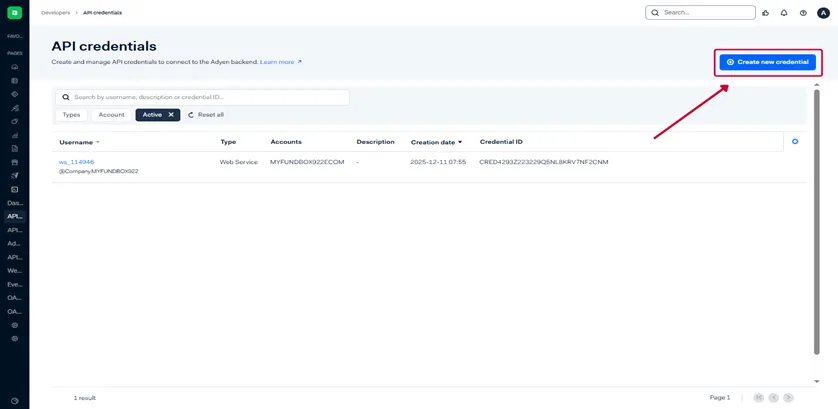
- Click Create new credential or select an existing web service user (e.g., ws_114946).
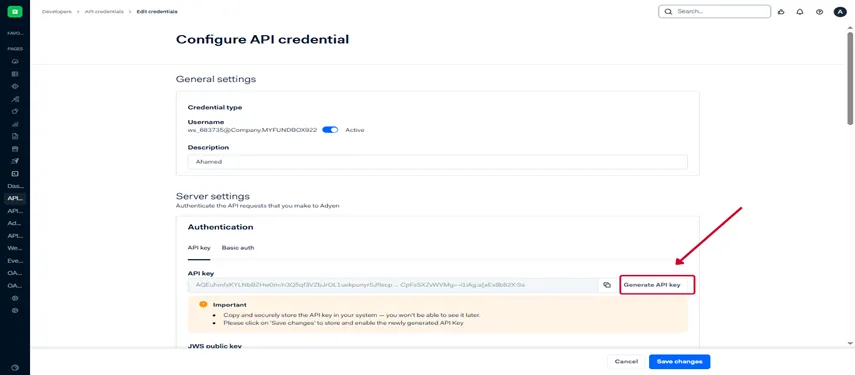
- Under the Authentication section, click the Generate API key button.
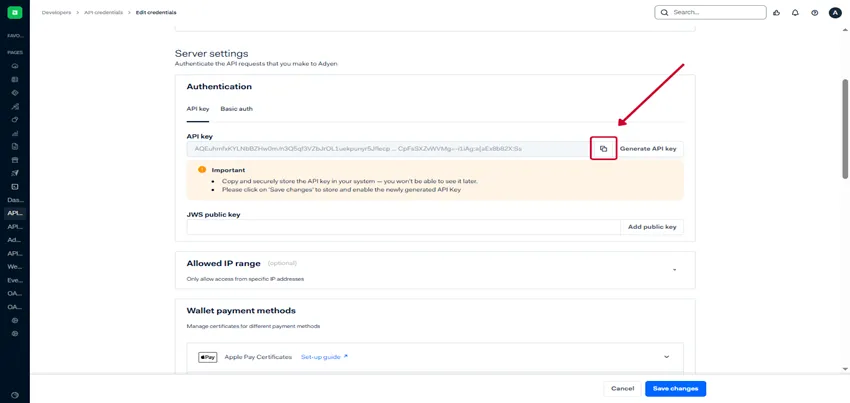
- Important: Click the Copy icon next to the key immediately. Store this key securely, as it will not be visible again after you leave the page.
- Click Save changes at the bottom of the page to activate your settings
- Click Save changes at the bottom of the page to activate your settings
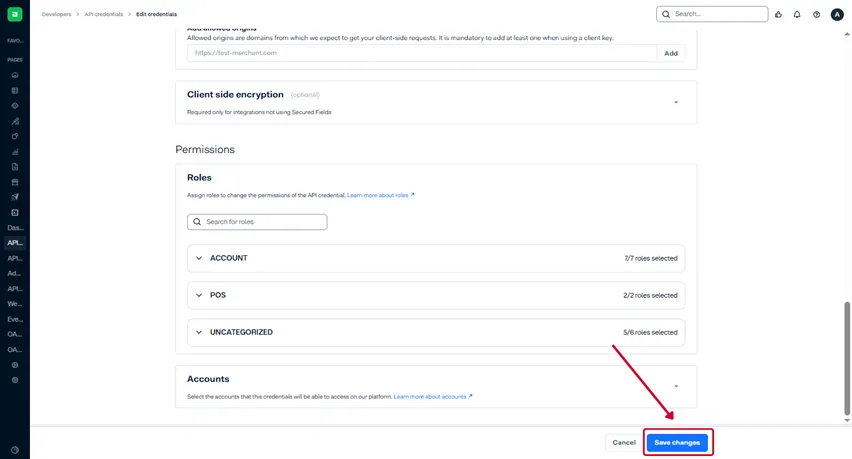
Step 5: Configure Webhooks
- In the sidebar, navigate to Developers and select API credentials.
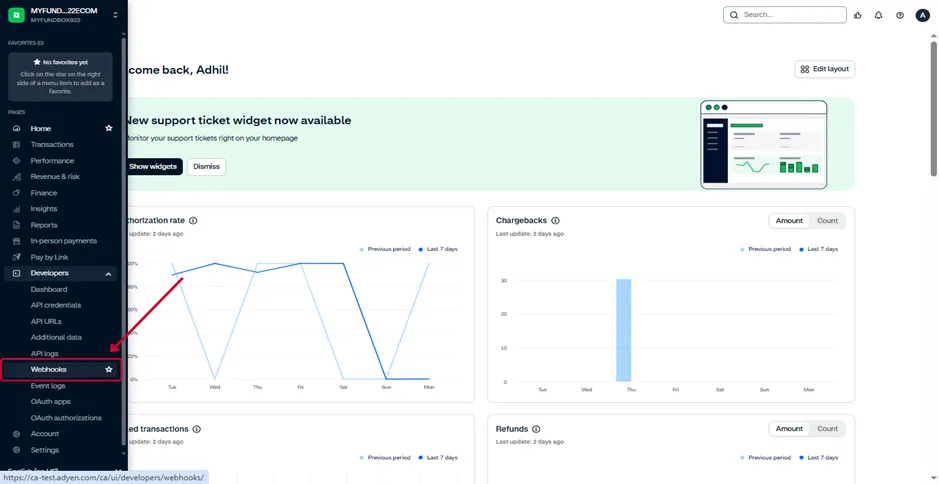
- Click Create new credential
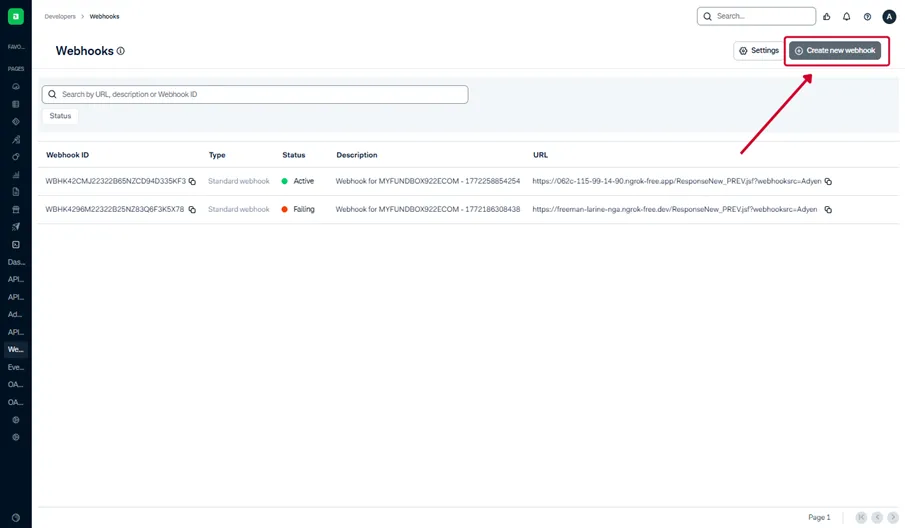
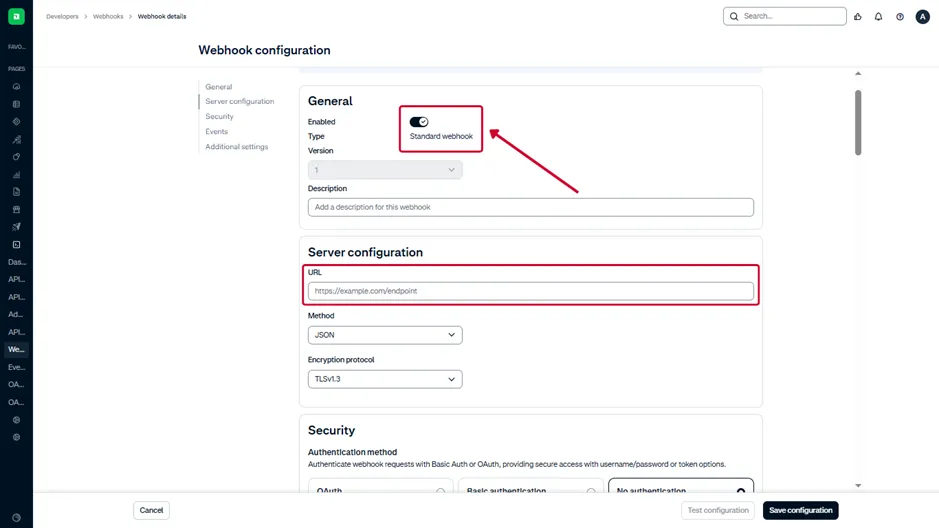
- Add the Standard webhook option.
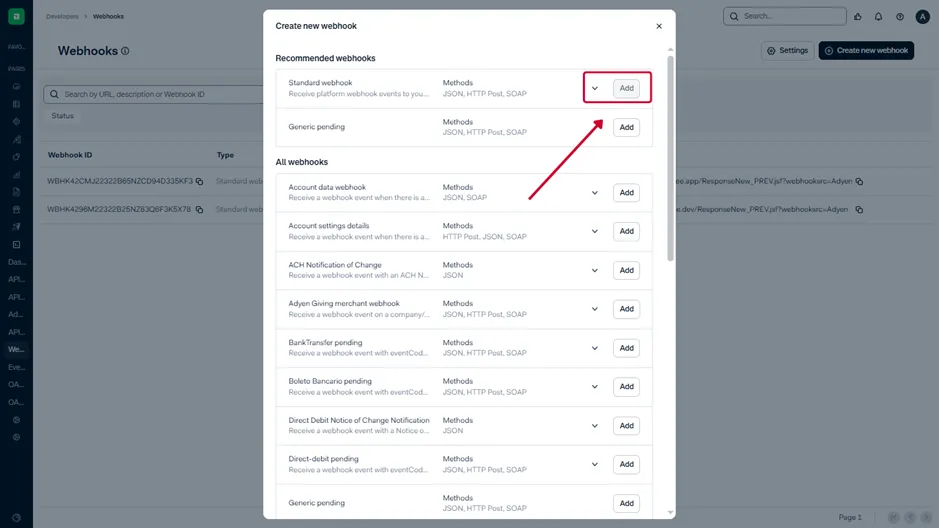
- Ensure that the standard webhook is enabled.
- Add the corresponding webhook URL displayed in the MyFundBox application. Navigate to the Payment Gateway page, select Adyen, and copy the webhook URL from the connection popup.
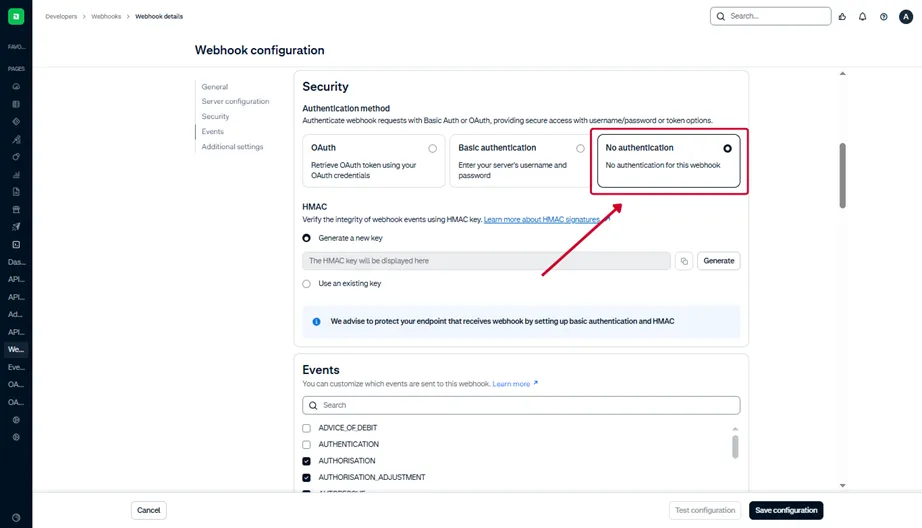
- Select the No Authentication option.
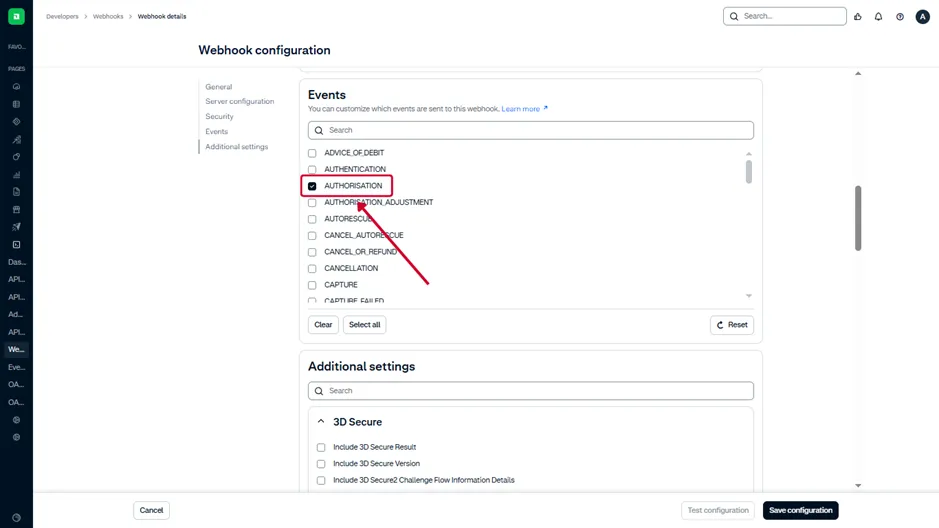
- Add the Authorisation event in the webhook event configuration.
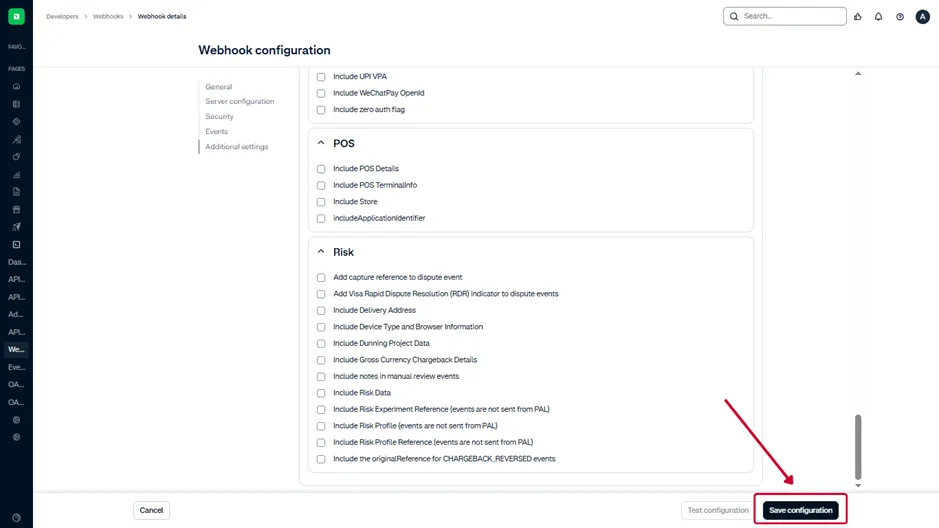
- Click Save changes at the bottom of the page to activate your settings
Step 5: Connect Adyen on MYFUNDBOX
- Log into your MYFUNDBOX account
- Navigate to Settings > Payment Gateways
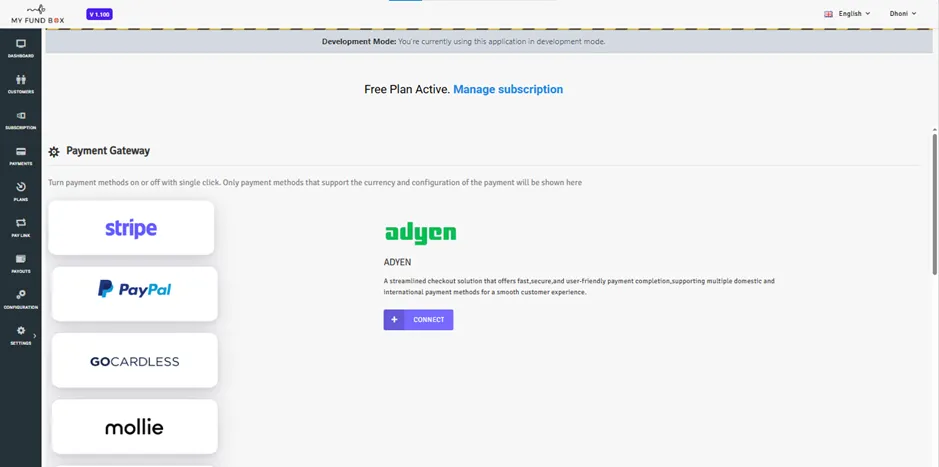
- Click “Connect “ on Adyen.
- Paste the following:
- Your Merchant Account
- Your API Key
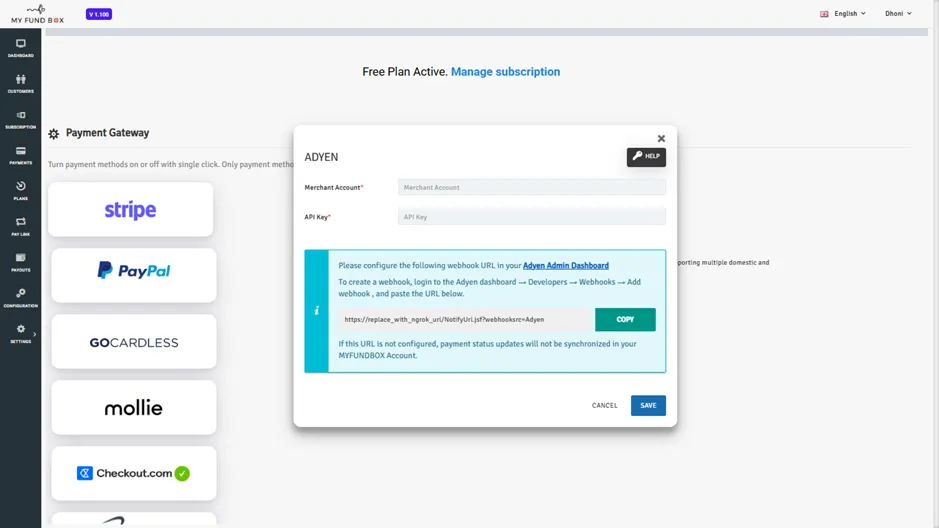
- Click Save.
- Once saved, your account is now securely connected to Adyen.com.