Invoice Download
4 min
How to Download Subscription Invoices
Follow the steps below to view and download invoices from your subscription portal.
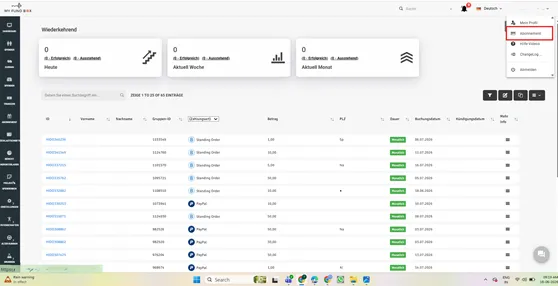
Step 1: Open the Subscription Page
Log in to your account. Click on your profile menu in the top-right corner and select 'Subscription' (Abonnement).
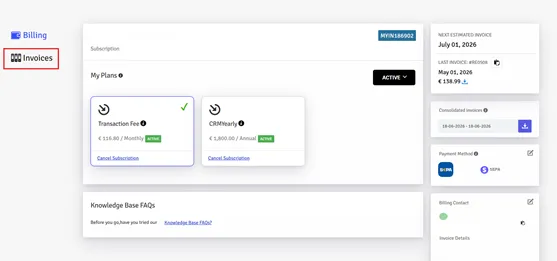
Step 2: Access the Invoices Section
On the Billing page, click the 'Invoices' menu from the left navigation panel.
Step 3: Download an Invoice
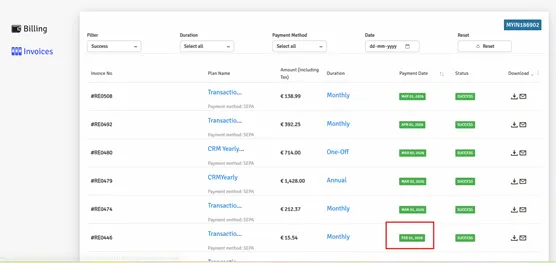
Locate the required invoice in the list. Use the download icon in the Download column to save the invoice PDF. You can also use the email icon to receive the invoice by email, where available.