Create customers
6 min
Video tutorial for Creating Customers:
In this section, you can learn how to create a new customer.
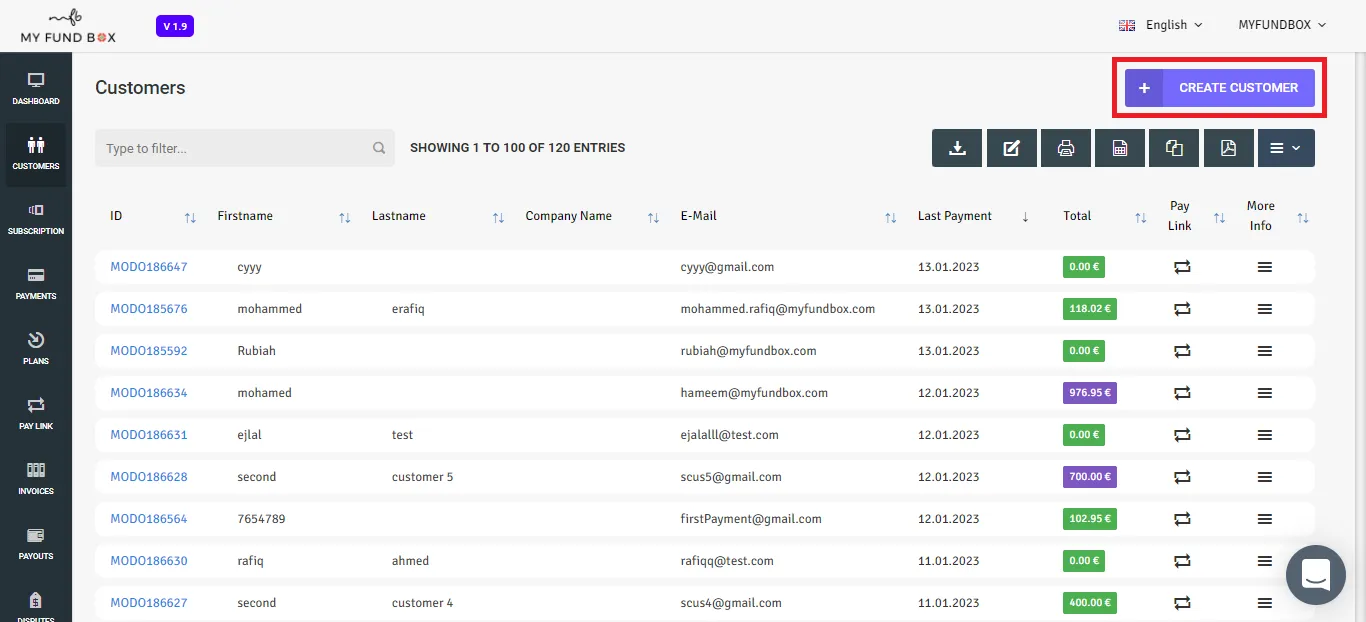
- Go to the Customerstab from the menu and click +CREATE CUSTOMER button on the top-right corner. You will get a pop up window as shown below.
- You can now enter the details of the customer including the company name along with the VAT ID to generate details for the invoices.
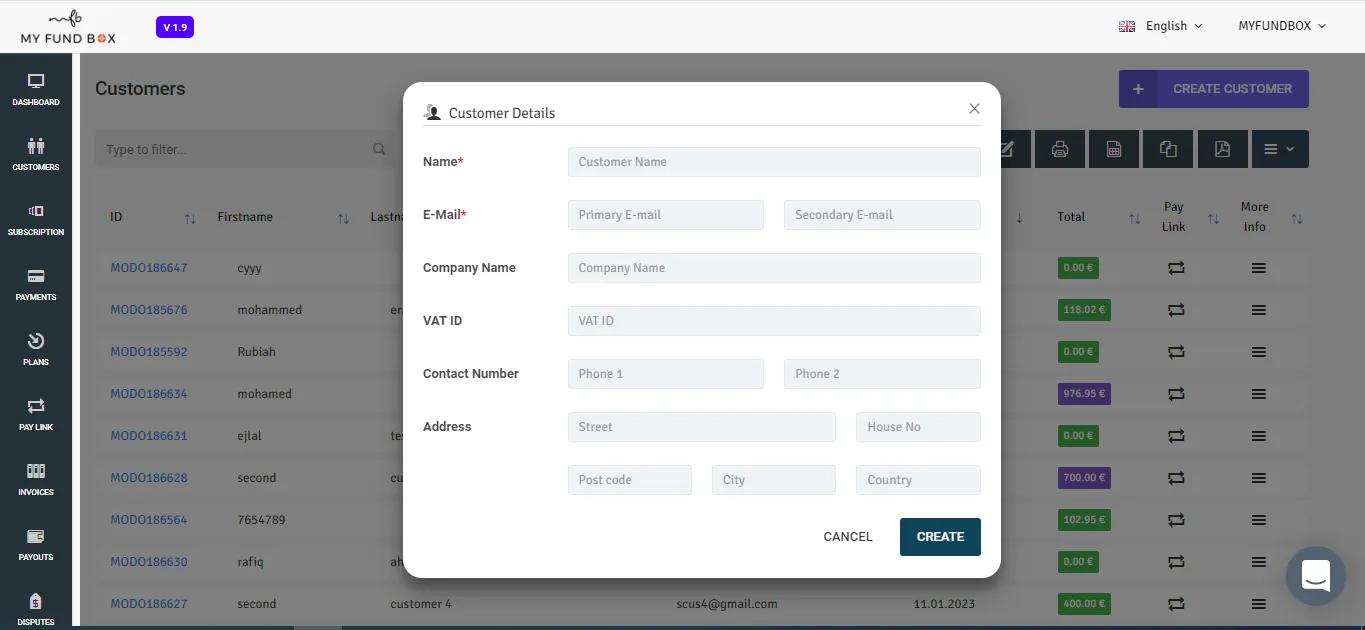
Name
Enter the name of your customers to be added in the list.
Enter the E-mail ID of your customer to be added in the list.
Company Name
If your customer is a part of a company then enter the company name of your customer.
VAT ID
If your customer has Value-Added Tax ID (VAT ID), Enter the VAT ID of your customer.
Contact Number
Enter your customer's mobile number or telephone number.
Address
Enter your customer's detailed address like street no, house no, post code, city and country of your customer.
After entered the details, click the create button to create your Customer.
NOTE : Name and E-mail field is mandatory.