Checkout
7 min
CHECKOUT PAYMENT GATE WAY [MYFUNDBOX]
CONFIGURATION / USER GUIDE:
Step 1: Create a Checkout.com Account
- Visit https://www.checkout.com
- Click Sign Up
- Complete the business registration and verification process
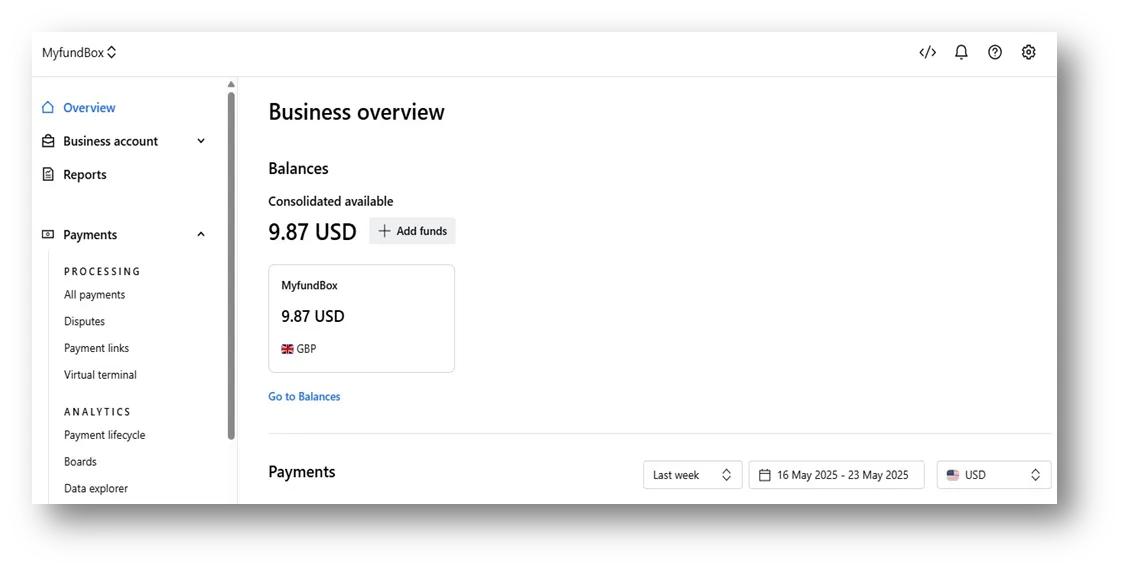
Step 2: Generate API Keys
- Log into your Checkout.com Dashboard
- Go to Developers > Keys (mentioned in picture)
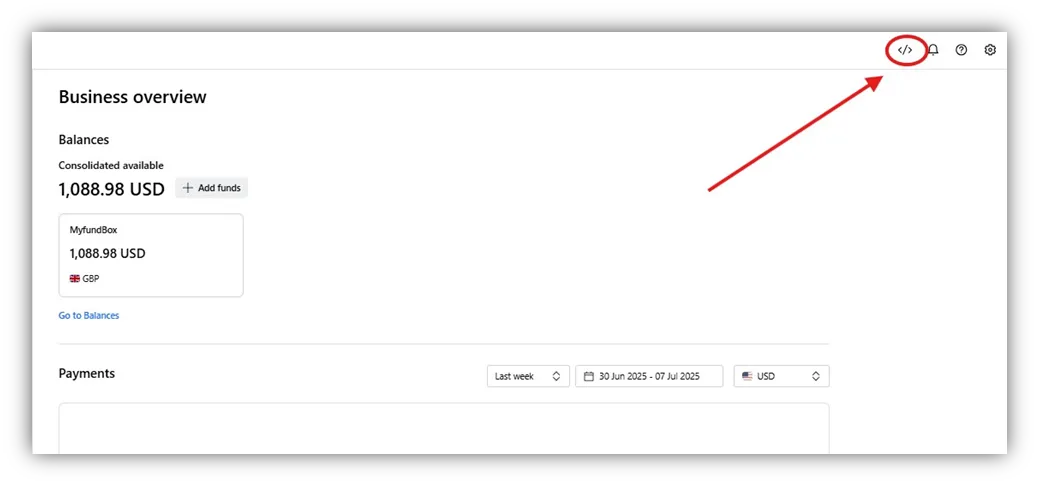
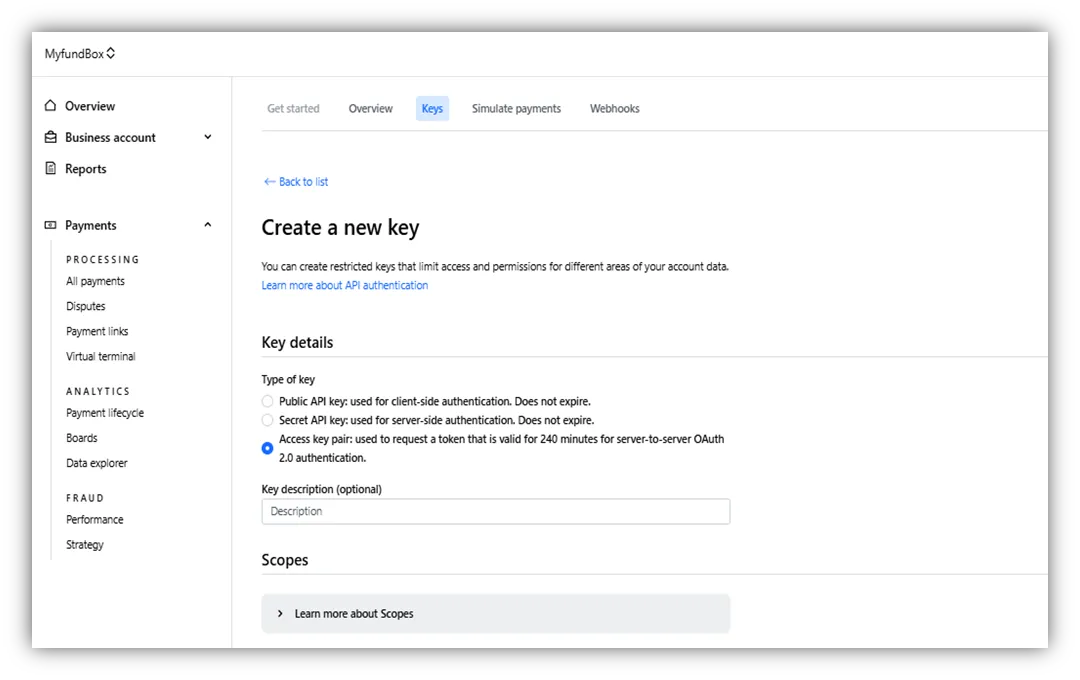
- Go to Keys tab and Click on “Create a new key” option.
- Select Access Key pair option like in image to generate Access Keys
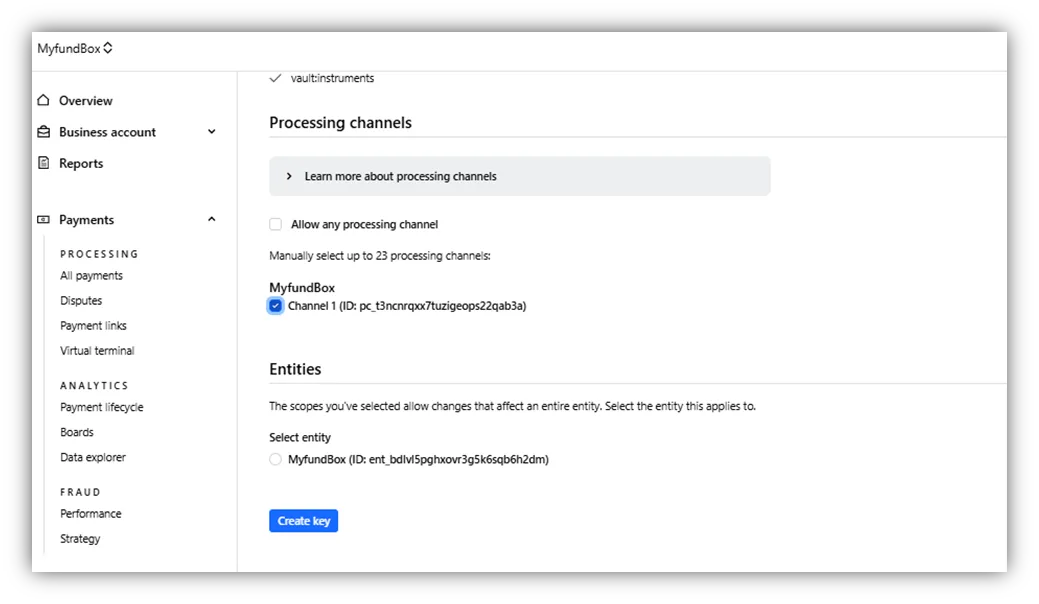
- Un Select the Allow any processing channel option And Select the Channel 1 like in image.
- Copy the following:
- ✅ Access Key ID
- ✅ Access Key Value
🔐 Keep these keys secure. Do not share them with anyone.
Important Note on Channels:
- Do not select the option “Allow any processing channel”
- Instead, explicitly choose “Channel 1” or the required configured channel
- This ensures that the payment is routed through the correct path and avoids misconfiguration issues.
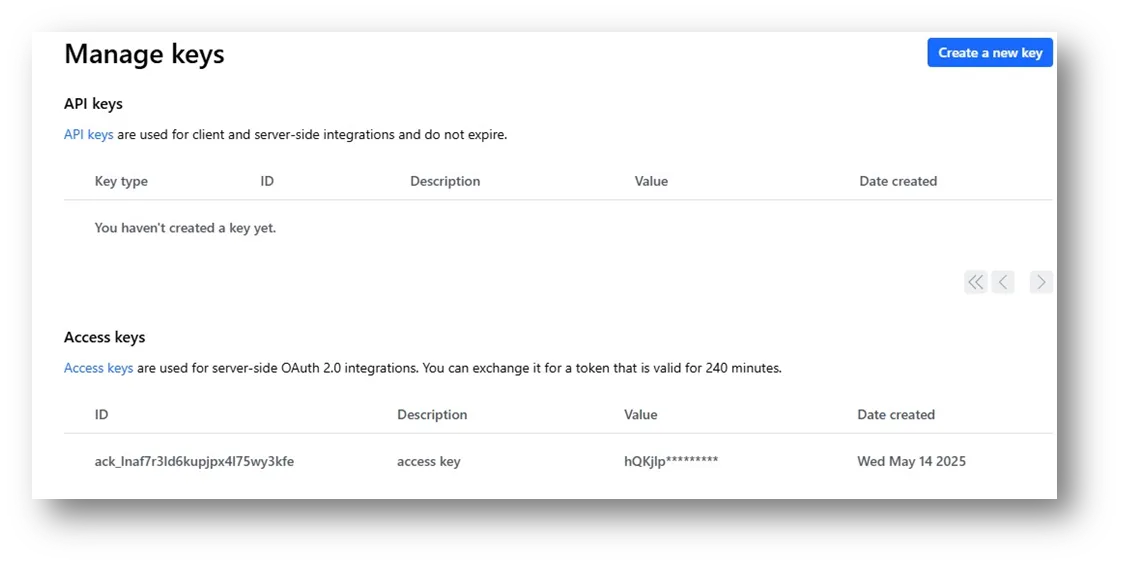
Step 3: Generate Public API Key
- After generating the API keys, proceed to generate the Public Key from the same 'Keys' section.
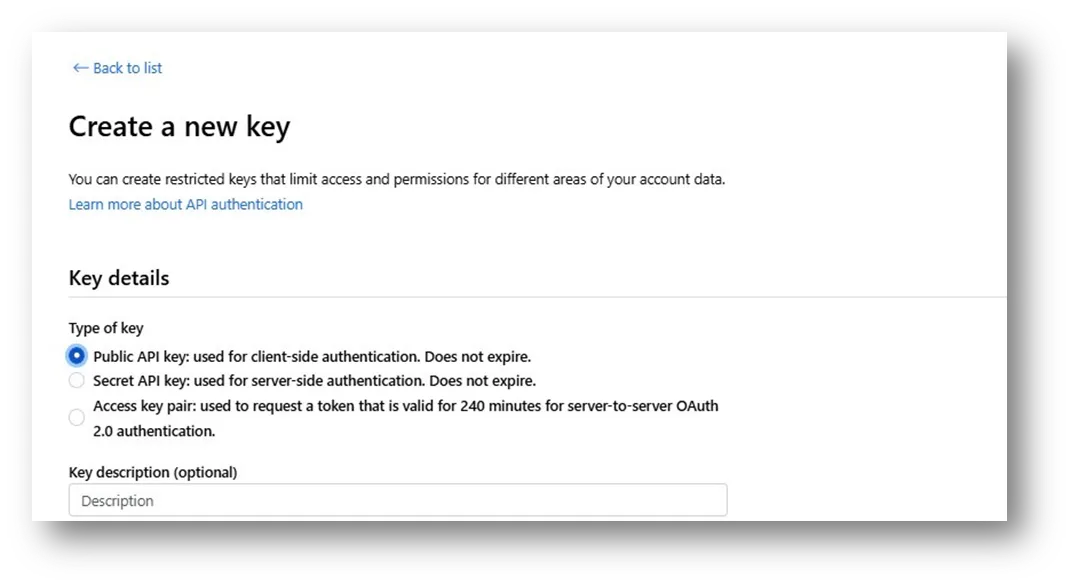
- Ensure you follow the instructions outlined in the 'Important Note on Channels' section when generating the public key to avoid any configuration issues.
- Ensure you are copying the public key, not the secret key, for frontend use.
Step 4: Generate Secret API Key
- After creating your public key credentials, navigate to the Keys section in your Checkout.com account.
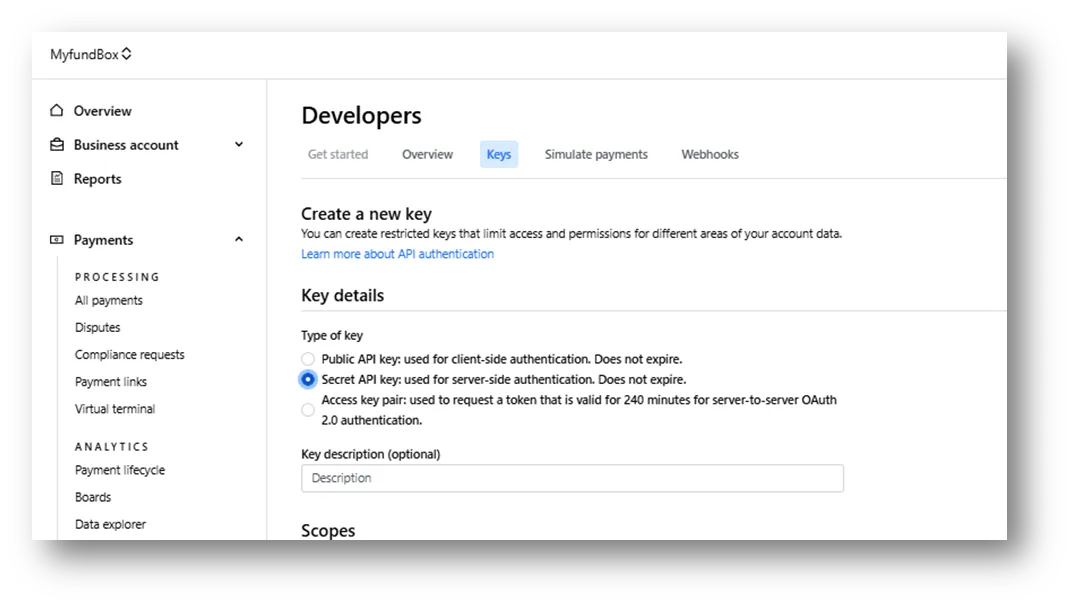
- Find the secret key in the list of keys. This key is very important because it is used to keep your transactions secure.
- Ensure you follow the instructions outlined in the 'Important Note on Channels' section when generating the Public Key to avoid any configuration issues.
- Make sure you store it securely because it will be required for processing your payments.
Step 5: Connect on MYFUNDBOX
- Log into your MYFUNDBOX account
- Navigate to Settings > Payment Gateways
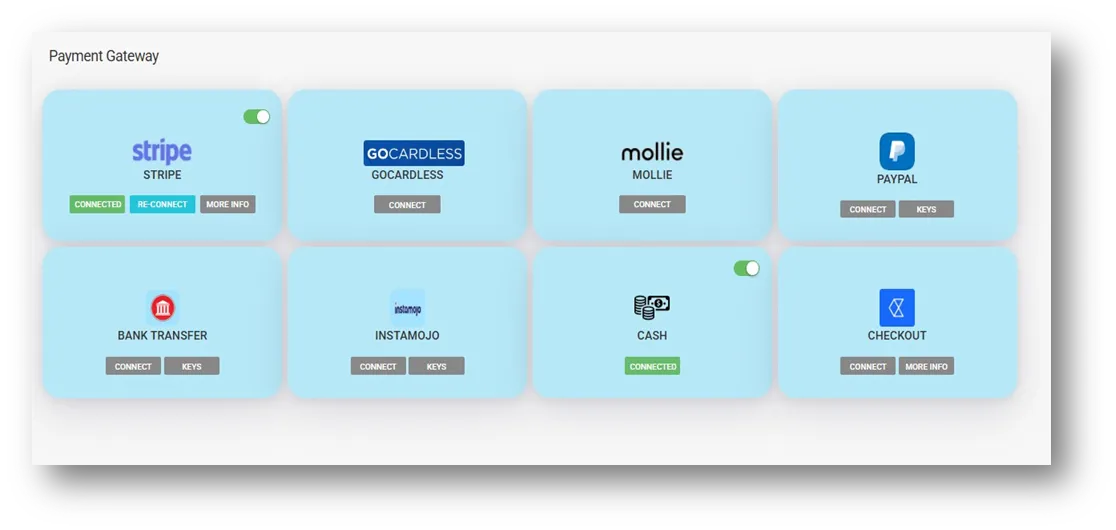
- Click "Connect" on Checkout
- Paste the following:
- Your Access Key ID
- Your Key Secret
- Your Public Key
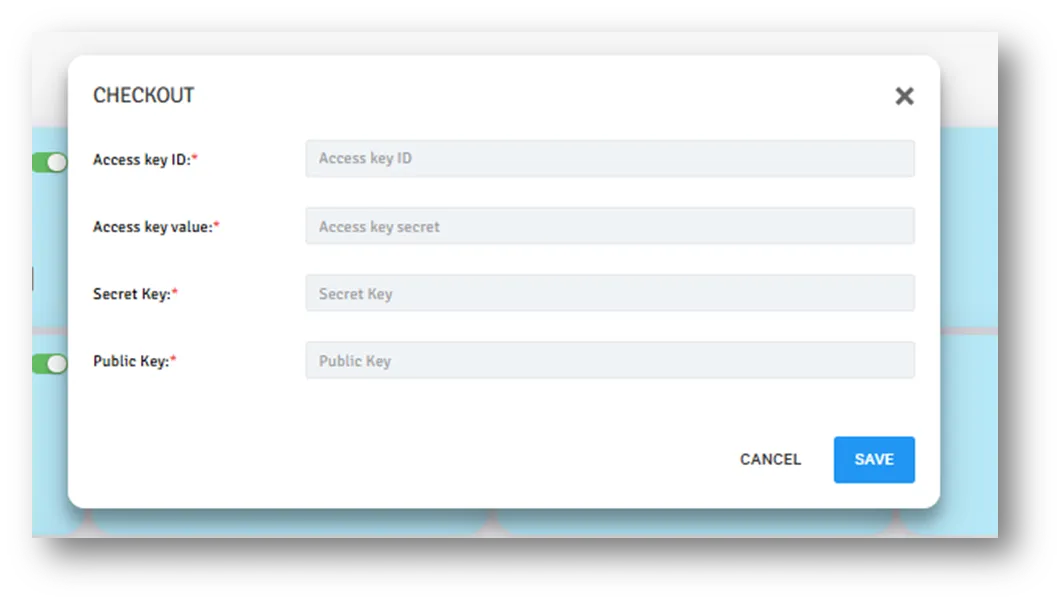
- Click Save.
- Once saved, your account is now securely connected to Checkout.com.